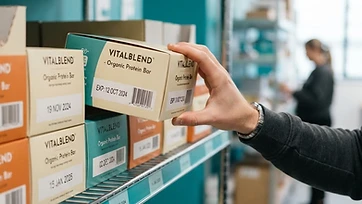
How to Track Medical Inventory by Lot Number
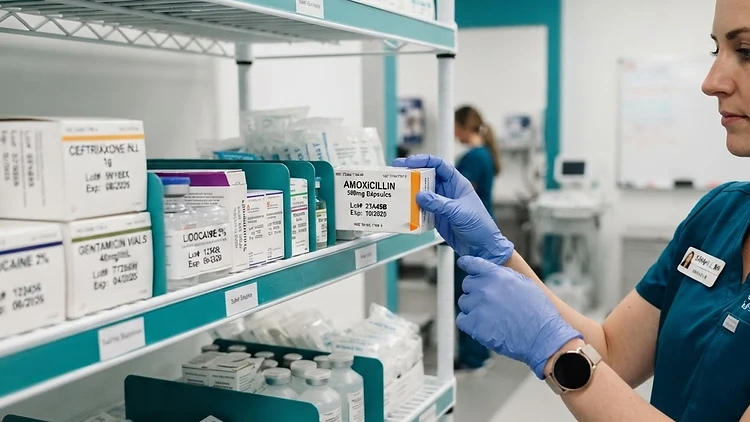
It starts with an email. A supplier announces a recall: lot number 24J117, distributed between March and May, contamination risk, quarantine all affected stock. In clinics that track by lot, this is a ten-minute errand — search the lot, see exactly where every unit sits, pull them, log the return. In clinics that do not, it is a day of pulling shelves apart, calling patients, and writing sincerely apologetic notes, all while not being sure whether the affected lot is even in the building.
Lot-level tracking is the difference between those two days. It is one of the highest-value habits in medical inventory, and one of the most neglected — usually not because anyone doubts its worth, but because nobody wants to build the spreadsheet that would hold it. This guide covers what lot tracking means, what to capture, and how it turns recalls, expiration, and compliance from events into routines.
What a lot number is
A lot (or batch) number is the identifier a manufacturer assigns to one production run of a product. Every unit from that run shares the number, and shares its manufacturing date, its expiration date, and — critically — its recall fate. If something goes wrong in production, the recall names the lot.
That grouping is what makes lot tracking efficient. You are not tracking every box as an individual; you are tracking a family of boxes that live and die together. In inventory terms, a lot is a layer on top of the item record: the item is 2x2 gauze, the lot is 24J117 of that gauze, received on April 3, expiring September 2027, currently sitting in exam room 2.
The lot layer is what answers the questions medical operations actually get asked:
- Was the affected lot ever in our inventory?
- If so — where is it now, and how much is left?
- Which patients or procedures used it while it was here?
- Prove it, with dates.
Why medical inventory specifically
Three forces make lot tracking near-mandatory in medical settings, even where no regulator explicitly demands it:
Recalls are a when, not an if. Medical suppliers recall regularly — mislabeling, contamination, packaging defects. The recall notice always names a lot; a practice that cannot search by lot cannot answer the notice.
Expiration is regulated, not just costly. For most supplies, an expired item is a write-off; in a clinic, using one can be a reportable event. Expiration dates attach to lots, so lot tracking and expiration discipline are the same system — the connection covered in What Is FEFO Inventory?.
Traceability is the standard of care. For implants, biologics, vaccines, and anything lot-controlled, the expectation that a practice can say which lot went to which patient is not optional. The dental and medical spa pages show this workflow in context.
What to capture at receiving
Lot tracking lives or dies at one moment: when stock arrives. The discipline is small — for lot-controlled items, record four things as stock is checked in:
- The item — which product this is
- The lot number — printed on the box or label
- The expiration date — printed beside it
- The quantity and location — how many, and where they are going
That is it. Twenty to thirty seconds per lot-controlled delivery. What those seconds buy is the entire recall response: a searchable record connecting every unit to its lot, its date, its location, and the delivery it arrived on.
A practical triage keeps the workload sane: not every item needs lot-level detail. Capture lots for anything injectable, implantable, perishable, sterilization-critical, or supplied to a patient. Gauze and exam gloves — high-volume, low-risk — can track as plain quantities. The high-risk subset is small in most practices; track it perfectly rather than tracking everything badly.
The recall response, with lots
nHere is the ten-minute version of recall day at a lot-tracking practice:
- Search the lot. Enter the number from the recall notice. Every unit, box, and partial package from that lot appears with its location.
- Quarantine. Pull the listed quantities from where they sit — exam rooms, the storage room, the refrigerator if it is a vaccine.
- Check usage history. The transaction log shows whether any of that lot was used, and on what dates — which tells you, factually, whether patient notification is on the table.
- Log the return. The quarantine is written down as a transaction — what was pulled, by whom, when — so the record shows the recall was handled, not just that it happened.
Compare that to the no-lot version: pull everything that might be the product and read stickers, hope the delivery dates match the recall window, and reconstruct usage from memory. The difference is not effort — it is whether the answer exists.
Expiration and FEFO on the lot layer
Because expiration dates live on lots, all the expiration systems from How to Stop Inventory Expiring Before You Use It run on lot data:
- The expiry-first view ranks lots, not items — use the March lot before the August lot of the same product.
- FEFO picking points at the earliest-dating lot, so the right box moves first without anyone reading stickers at the point of use.
- Expiry alerts fire a lead time before the earliest lot date — configurable per item, because a two-week lead is generous for gauze and useless for a seven-day reagent.
In CountGrid, expiration tracking attaches dates to lots at receiving and keeps the soonest dates in front of the team automatically.
Counting and reconciling lots
Lot records drift like any other record, and lot drift is nastier than quantity drift: a box with the right quantity and the wrong lot number is a recall-day landmine. Lot-level cycle counts verify three things at once — quantity, lot, and date:
- Count lot-controlled stock as part of the regular rotation, using the same cadence logic from How Often Should You Count Inventory? — weighted toward the high-risk items that justify lot tracking in the first place.
- Scan-based stock counts make the lot check natural: scan the barcode, and the count confirms both the item and the lot in one pass, with variance flagged while the shelf still tells the story.
- Watch for the two classic lot errors: a delivery shelved without being logged (the lot exists physically but not in the system) and a partial box from lot A topped up with units from lot B (now one box with two identities). Both surface at count time, which is why lot items earn their frequent spot in the rotation.
Lots across rooms and locations
Medical stock moves — from a storage room to exam rooms, from the main supply to a satellite office, from the refrigerator to a mobile clinic. Because lot tracking runs on top of location tracking, moves keep both layers intact: a transfer of three units from lot 24J117 to exam room 2 keeps the lot and its date attached to the new location. The recall search then answers with rooms, not with a building-wide hunt. The location model is the same one described in How to Track Inventory Across Multiple Locations — lot data rides on top of it.
How CountGrid handles medical lot tracking
CountGrid runs lot and expiration tracking as a first-class layer on top of the ledger: capture lot and date at receiving, watch the expiry-first view, pick first-expired-first-out, get alerts with per-item lead times, and search any lot number to see every unit, its location, and its usage history. For items with practice-specific data — concentrations, shades, sizes — custom fields hold what the standard fields do not, so the practice's real workflow does not leak into a side spreadsheet. And because every movement is a logged transaction, the audit story — what was used, where, and when — writes itself.
Conclusion
Medical lot tracking is a twenty-second habit at receiving that converts recall day from an emergency into an errand. Capture the lot, the date, and the location for high-risk items; let FEFO move the soonest dates first; count lots on a rotation that respects their risk; and keep usage history attached to every unit. Start with your injectables and lot-controlled supplies this week: capture the next delivery's lot numbers, and you have already changed what the next recall notice costs you.